
accounting software for Canadian business
accounting software for Canadian business
Payroll, Bookkeeping, and Invoicing for Canadian Small Businesses
ABM Books gives Canadian small businesses the tools to run payroll, send invoices, and track expenses without the complexity. Built by accountants.
Your workflow, simplified
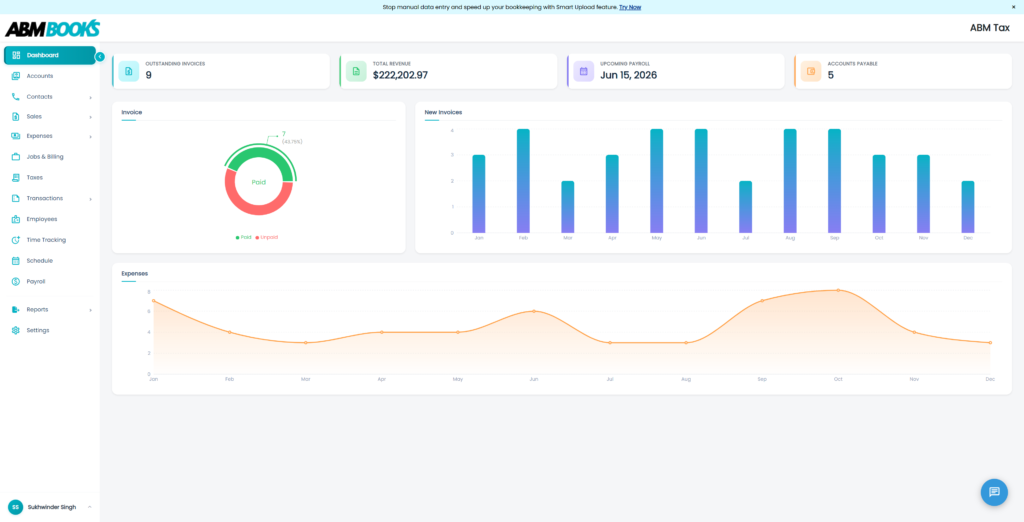

“We cut reporting time in half!”

“Get everything done fast.”
+45% Productivity
+45% Productivity



Businesses Onboard
Trusted by growing Businesses
Trusted by Canadian small businesses from coast to coast



Key services
Key services
Everything you need to work smarter, not harder
Invoicing Mobile App
Quick Bookkeeping in Your Pocket.
Create Invoices, Quotes, Record Payments, Do Bookkeeping with AI, Manage Jobs & Sales Items and more. All in our ABMBooks Invoicing mobile app!
Employee Portal App
Your Workday, On Your Phone
The ABMBooks Employee Portal puts punch clock, schedules, and pay stubs in one simple app. Employees can accept shifts, track their hours, and manage their profile without ever logging into a desktop.
Plans Overview
Plans Overview
Simple plans for every business
Simple, transparent pricing for businesses of every size.
Dasher
For sole operators getting started
$9.99/mo
- Up to 2 employees
- Smart Upload: 10 pages/month
- T4 / ROE export: one-time $150 add-on
- 2 employees included
- Payroll: paystubs, PD7A, employee portal
- Invoicing, quotes and expenses
- Trial balance, income statement, balance sheet
- Bank services: bill pay, PAD, online payments, direct deposit
- Smart Upload: 10 pages / month
- Report export (PDF)
- Email support within 72 hours
Basic
$24.99/mo
- 5 employees included, + $5/month each above 5
- Smart Upload: 50 pages/month
- T4 / ROE export: PDF
- Everything in Dasher
- 5 employees included
- T4s and ROEs (PDF)
- Timesheets (no geofencing)
- Data import
- Smart Upload: 50 pages / month
- Email support within 24–48 hours
Momentum
$49.99/mo
- 10 employees included, + $3/month each above 10
- Smart Upload: 100 pages/month
- T4 / ROE export: PDF, XML and CSV
- Everything in Basic
- T4s and ROEs (PDF, XML, CSV)
- Timesheets with geofencing
- Scheduling
- Full data export (CSV)
- Smart Upload: 100 pages / month
- Email support within 24 hours
Advanced
$74.99/mo
- 15 employees included, + $2/month each above 15
- Smart Upload: 200 pages/month
- T4 / ROE export: PDF, XML and CSV
- Everything in Momentum
- 15 employees included, then $2 / employee / month
- Billing Buddy and voice input
- Smart Upload: 200 pages / month
- Phone support
Premium
$149.99/mo
- 20 employees included, + $2/month each above 20
- Smart Upload: 400 pages/month
- T4 / ROE export: PDF, XML and CSV
- Everything in Advanced
- 20 employees included, then $2 / employee / month
- Smart Upload: 400 pages / month
- Dedicated account manager
- Up to 2 employees included
- Payroll: paystubs, PD7A, employee portal
- Invoicing, quotes and expenses
- Trial balance, income statement, balance sheet
- Bank services: bill pay, PAD, online payments, direct deposit
- Smart Upload: 10 pages/month
- Report export (PDF)
- Email support within 72 hours
- T4 / ROE export (Available for $150 one-time add-on)
- Everything in Dasher
- Up to 5 employees (+$5/mo per additional empoyee)
- T4s and ROEs (PDF only)
- Timesheets (no geofencing)
- Data import service
- Smart Upload: 50 pages/month
- Email support within 24–48 hours
- Everything in Basic
- Up to 10 employees (+$3/mo per additional employee)
- T4s and ROEs (PDF, XML, CSV)
- Timesheets with geofencing
- Scheduling
- Full data export (CSV)
- Smart Upload: 100 pages/month
- Email support within 24 hours
- Everything in Momentum
- Up to 15 employees (+$2/mo per additional employee)
- T4 / ROE export: PDF, XML and CSV
- Billing Buddy and voice input
- Smart Upload: 200 pages/month
- Phone support
- Everything in Advanced
- Up to 20 employees (+$2/mo per additional employee)
- Smart Upload: 400 pages/month
- Dedicated account manager
- Up to 2 employees included
- Payroll: paystubs, PD7A, employee portal
- Invoicing, quotes and expenses
- Trial balance, income statement, balance sheet
- Bank services: bill pay, PAD, online payments, direct deposit
- Smart Upload: 10 pages / month
- Report export (PDF)
- Email support within 72 hours
- T4 / ROE export (Available for $150 one-time add-on)
- Everything in Dasher
- Up to 5 employees (+$5/mo per additional empoyee)
- T4s and ROEs (PDF only)
- Timesheets (no geofencing)
- Data import
- Smart Upload: 50 pages / month
- Email support within 24–48 hours
- Everything in Basic
- Up to 10 employees (+$3/mo per additional employee)
- T4s and ROEs (PDF, XML, CSV)
- Timesheets with geofencing
- Scheduling
- Full data export (CSV)
- Smart Upload: 100 pages / month
- Email support within 24 hours
- Everything in Momentum
- Up to 15 employees (+$2/mo per additional employee)
- T4 / ROE export: PDF, XML and CSV
- Billing Buddy and voice input
- Smart Upload: 200 pages / month
- Phone support
- Everything in Advanced
- Up to 20 employees (+$2/mo per additional employee)
- Smart Upload: 400 pages / month
- Dedicated account manager
Quick look at ABM Books in action
See how small Businesses use ABM Books to stay organized, connected, and productive — wherever they are.
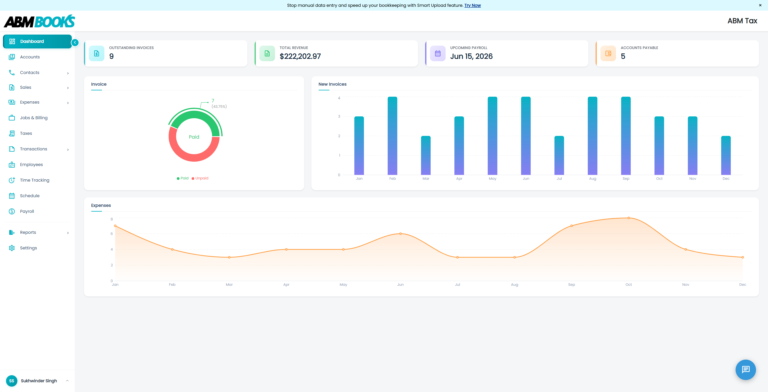
Migrating to ABM Books helps you
- save money
- stay organized
- save time
Testimonials
Testimonials
Businesses love the results they get with ABM Books
See how businesses of all sizes boosted productivity and simplified their workflows.
Payroll used to stress me out every two weeks. I’m not an expert, and I don’t have time to figure that stuff out. ABMBooks is easy to use, and it just works. I can get paystubs done in minutes and move on with my day. I’m not sitting at my desk for a while anymore. Huge relief.
ABMBooks has made it so much easier. and it saves me a ton of time. I can generate payroll and send out invoices without overthinking it. It’s just simple. That’s what I need.
productivity increase
Measured across 500+ small businesses in 30 days.
Payroll.Invoicing.Fewer manual tasks.Expense tracking.Free to start.Interactive reporting.
Real-time analytics.Smarter workflows.Fewer manual tasks.More time for what matters. Real-time analytics.Seamless integrations.
faq
faq
Got questions? We’ve got answers
How do you keep my data safe?
We use advanced encryption, secure servers, and continuous monitoring to protect your data. Regular security audits and strict access controls ensure that your information remains private and protected at all times.
Do I need accounting experience to use ABMBooks?
Nope! ABMBooks is designed to be simple and easy to use, even for business owners without any accounting background. Plus, it’s built by accountants, so you know it’s CRA-compliant.
Does ABMBooks handle direct deposit payments?
Yes—available with our Prestige Managed Payroll Plan. We’ll process your payroll and pay your employees via Direct Deposit, saving you time.
How do CRA remittance payments work?
With the Prestige Managed Payroll Plan, we submit and pay your payroll deductions directly to the CRA so you can rest easy knowing it’s done right.
Can I generate and submit T4s and ROEs?
Yes! You can generate T4 and ROE reports for your employees using ABMBooks. For submissions to the CRA and Service Canada, our support team is here to help.
What payroll reports are available?
Both plans give you access to:
- PD7A Source Deduction Reports
- Employer Payroll Summary
- Employee Paystub Reports
- T4 and ROE Reports
Can I customize my invoices?
Yes! You can add your business logo, contact information, and customize your invoices for a professional look.
How does expense tracking work?
You can enter single expenses quickly or use our spreadsheet-style bulk entry view. You can also filter expenses based on outstanding balances to keep track of what’s unpaid.
What if I need bookkeeping services?
If you need additional support beyond our software, ABMBooks also offers professional bookkeeping services. Our experienced team can handle your books for you, ensuring your finances are accurate and up-to-date.
How do I run payroll and send paystubs in ABMBooks?
Running payroll in ABMBooks takes a few clicks. Open Payroll and click Add Payroll Run. The next pay period is already filled in, so you only choose the pay date.
ABMBooks lists every employee with their hours, pay rate, vacation pay and gross pay, and calculates federal and provincial income tax, CPP and EI for both the employee and the employer. Review the run, run payroll, and it is locked in.
Paystubs are ready right away. Email every employee their own PDF paystub in one click, or open any single paystub to print it. Each paystub shows earnings, deductions, year-to-date totals and net pay.
How does payroll direct deposit work, and are source deductions remitted to the CRA?
When direct deposit is turned on for your account, running payroll is the last step. ABMBooks collects one amount from your business bank account: gross payroll plus the employer’s share of CPP and EI.
Your employees receive their net pay by direct deposit in three days, and the source deductions (income tax, CPP and EI) are remitted to the Canada Revenue Agency for you.
Every payroll run comes with an Employer Remittance Report, and the PD7A report totals gross pay, CPP, EI and income tax for any period you choose, down to the total remittance due.
Can I scan receipts and upload bank statements instead of typing them in?
Yes. Smart Upload reads receipts and bank statements for you. Snap a photo of a receipt or upload a PDF, one at a time or a whole stack, or forward receipts by email to your own ABMBooks receipt address.
ABMBooks pulls out the vendor, date, subtotal, tax and total, and suggests the expense category and tax type. Check the details, click Approve & Post, and the expense is in your books, linked to the original receipt.
Bank statements work the same way. Every transaction is extracted with a suggested category that you can confirm or change, then posted to your bank register, ready to reconcile.
How can I schedule employees and track their hours without the back-and-forth?
ABMBooks keeps scheduling and time tracking in one place. Your whole team is on one calendar: drag an employee onto a day, set the start and end time, tag a job, and repeat the shift if it is a regular one.
Shifts stay as drafts until you click Post Shifts. Then each employee gets one notification with all of their new shifts.
When the work is done, clock-ins and clock-outs are already on the timecard, with regular time and overtime calculated. Approve the timesheet and the hours are ready for payroll. Open shift claims, shift swaps and availability requests all land on one review screen.
Can employees update their own details, clock in and view paystubs online?
Yes. Every employee you add gets their own sign-in to the ABMBooks employee portal. From their dashboard they can update their address, phone number and other personal details, plus their banking information for direct deposit, so your records stay current without you retyping anything.
The Punch Clock lets them punch in and out, start and end breaks and lunches, and tag the job they are working on. Every punch lands on their timecard, ready for you to approve.
On payday their paystubs are waiting in the portal, searchable by date, pay period or year. The employee portal is included with every ABMBooks plan
What is Billing Buddy, and can AI create an invoice from a text or voice prompt?
Billing Buddy is the AI assistant built into ABMBooks. Type what you need or say it out loud, for example “kitchen renovation quote for Hartley Homes”, and Billing Buddy drafts the invoice or quote for you.
It matches your request to your billing templates using trigger phrases you choose, so the line items and prices come from your own rates. No templates yet? Start from the starter library, organized by trade, and tailor it to how you bill.
You review the draft, and once it is approved it is a regular ABMBooks invoice you can email, take payment on or make recurring. Billing Buddy is available on the Advanced plan and up.
How do I create T4 slips and Records of Employment (ROEs) in ABMBooks?
T4s and ROEs come straight from the payroll you have already run in ABMBooks. Open Payroll Reports, choose T4, select one employee or all of them, pick the tax year and click Generate PDF.
You get a CRA-style T4 slip with employment income, income tax deducted, CPP and EI already filled in. It is marked as a draft so you can review it before you file.
When an employee leaves, generate a Record of Employment the same way: choose the employee and the reason code, and ABMBooks calculates the first and last day worked, insurable hours and insurable earnings, pay period by pay period